How to find similar drum samples in your own library
Start with a drum hit that is close, search your library for similar sounds, then compare a short list in the track. Change one quality at a time: a shorter tail, a softer attack, or less brightness.
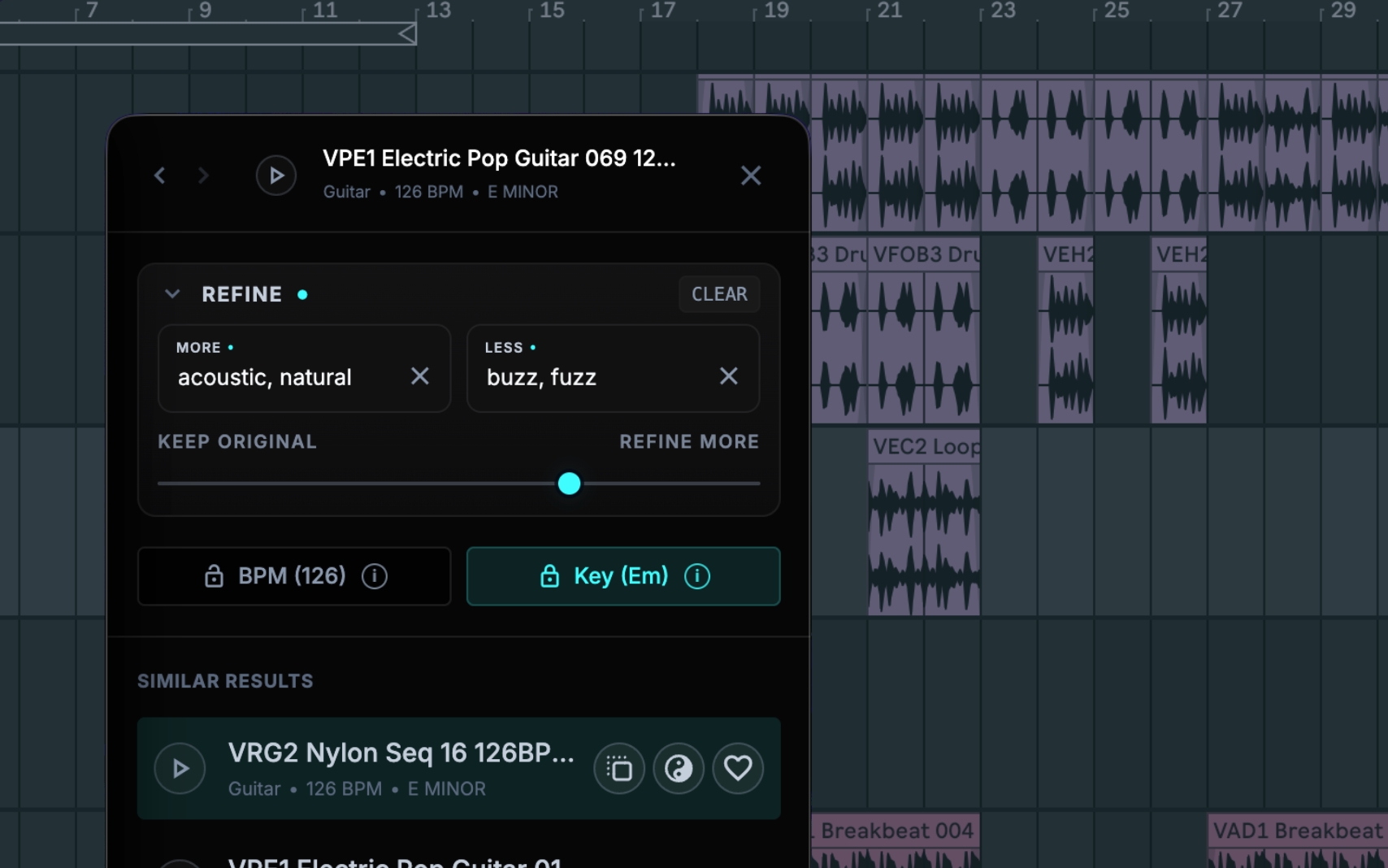
1. Choose a reference for the quality you want to keep.
A useful reference is a sound you already own that solves part of the problem. Your kick might have the right weight but ring too long. Your snare might have the right body but too much room. That gives you two separate decisions: what to preserve, and what to change.
Write a short brief before searching. For example: “keep the low weight; shorten the tail.” This makes it easier to recognize a useful replacement instead of choosing whichever hit sounds most impressive on its own.
Use an individual hit when you want an individual hit. A reference containing a whole drum loop also contains hats, timing, room sound, and several transients. Those details can pull a similarity search away from the particular kick or snare you meant.
2. Search for similar sounds, then change one quality.
In Sample, add the folders containing your drum samples and let the audio analysis finish. Select your reference and use the similar-sounds workflow. Start with the closest candidates before adding several constraints at once.
If you do not have a reference, begin with a description. Name the drum, then its most useful characteristic. These are starting phrases to adapt to your own library, rather than promises that a particular sound is present:
When a result is almost right, use it as the next reference. Steer toward a quality you want more of, or away from one you want less of. A single change such as “less bright” is easier to judge than simultaneously asking for darker, wider, softer, heavier, and more vintage.
See Sample’s similar and complementary search controls for the product workflow. Similarity searches for alternatives to the reference; complementary search is useful when you need a partner or layer beside it.
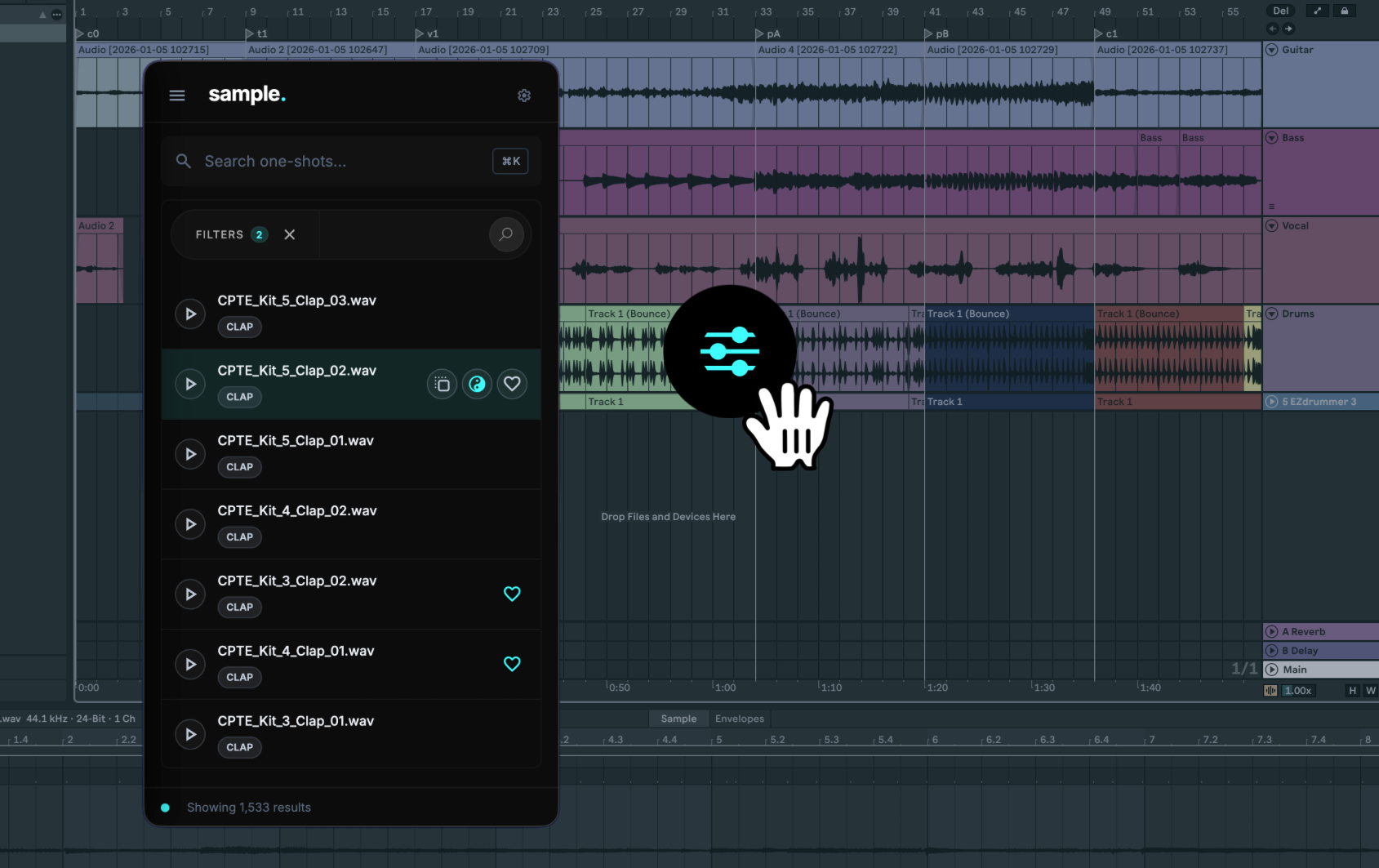
3. Compare a short list inside the track.
Preview a few promising candidates, then drag them into your DAW and compare them at approximately the same perceived loudness. A louder hit can seem better even when its character is less suitable. Keep your monitoring level comfortable and leave headroom.
Loop the part of the arrangement that exposes the problem. For a replacement kick, listen with the bass. For a snare, include the hats and any vocal that shares its space. Listen for the attack, body, and decay separately. A sound that wins in solo may mask another part once the arrangement plays.
Keep the shortlist small enough to remember the differences. If none fits, return to the brief and change one property. You may already have the right hit and need a small envelope adjustment in the DAW rather than another search.
4. Use BPM and key when the sound calls for them.
A repeating percussion loop has a tempo. An isolated clap does not have a useful loop tempo merely because a number appears in its filename. Start a one-shot search without a BPM constraint; use tempo filters for rhythmic material where the estimate is meaningful.
Key can help with a pitched tom or an 808-style bass sound, but forcing a key onto a noise-like snare may remove useful candidates. Sample only offers musical metadata and reference locks when its eligibility checks pass. If a lock is unavailable, search by character and check the sound in your track.
Detected BPM and key are estimates. Check a loop against the project grid and listen to pitched material against the track’s harmony. Similarity describes a relationship between sounds; it does not guarantee musical fit.
If the results miss the point, simplify the search.
- Everything sounds too roomy.
- Choose a drier reference or ask for less room. Do not add more unrelated adjectives to compensate.
- The result list is too small.
- Remove BPM or key constraints that do not apply. Confirm the relevant folders are connected and their analysis has completed.
- You need a second layer.
- Try complementary search. A near-duplicate may reinforce the same frequencies instead of adding the contrast you need.
- Two references have different useful qualities.
- Explore Blend to search for existing sounds between two references. Blend finds audio in your library; it does not synthesize a new drum hit.
The finish line is a drum that works in the arrangement. Save the choice in your project and return to making music while the idea is still fresh.
Keep exploring your library.
Search sound effects by description →
Explore Sample’s local audio search or see pricing and purchase details.