Find similar
Use a sound as the anchor and retrieve perceptually related candidates. Best when the current kick, impact, vocal, or texture is close—but not final.
Start from any sound. Find close alternatives, steer toward a quality, look for a contrasting partner, or blend two references into a new direction.
“Show me more like this” is only one creative question.
Use a sound as the anchor and retrieve perceptually related candidates. Best when the current kick, impact, vocal, or texture is close—but not final.
Add “more acoustic,” “less harsh,” or another short direction. Keep moving until the sound feels right.
Look for a sound that adds contrast and supports the arrangement instead of handing you another near-duplicate.
Choose two sounds when one has the right body and another has the right texture. Search your library between those ideas.
Explore Blend →Stop trying to explain everything. Pick two concrete examples and let Sample find existing sounds that live between them.
Blend never invents a file. Every result is a real sound already present in your library.
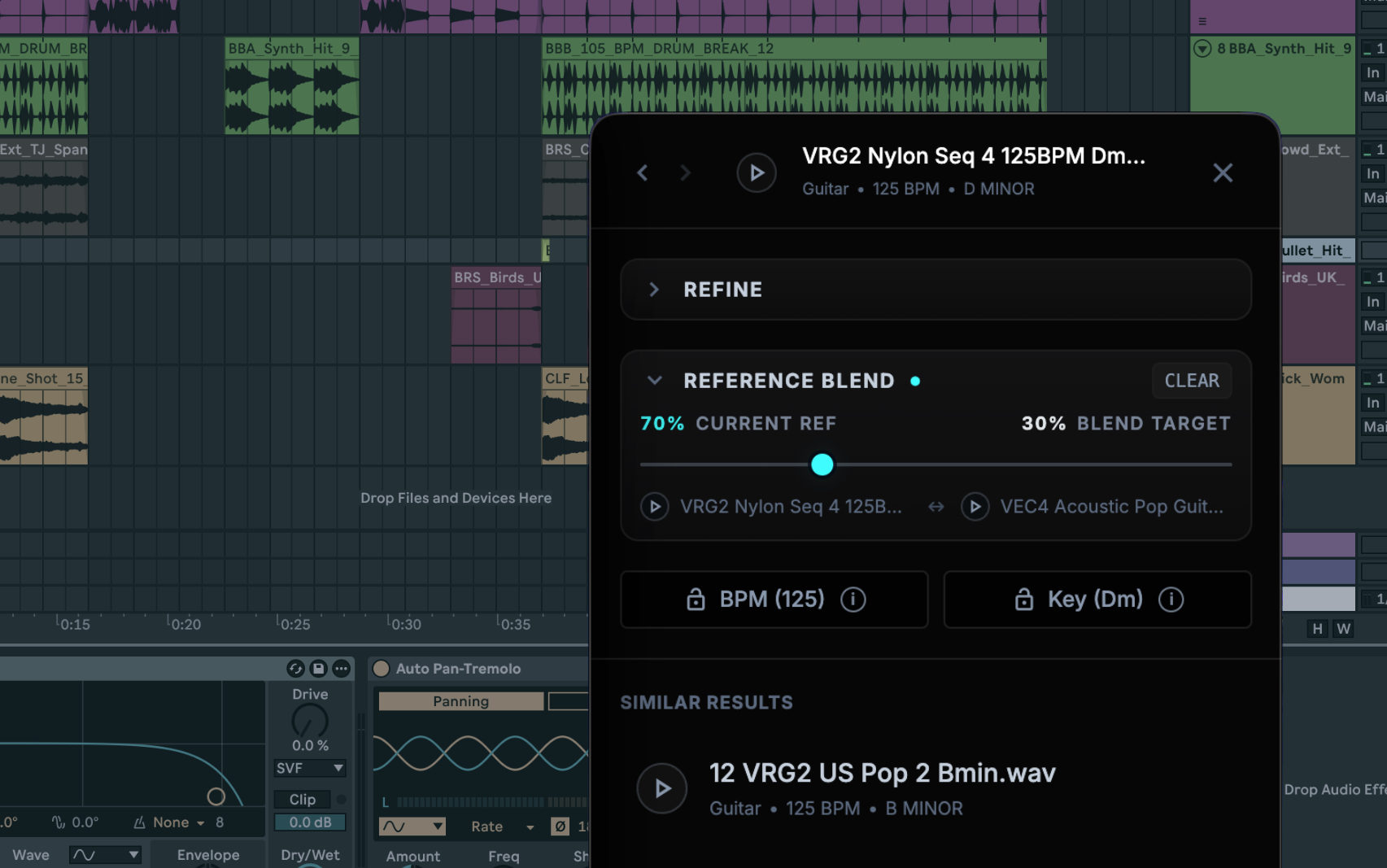
Lock tempo or key when the arrangement demands it. Leave them open when you want surprise.
| Situation | Recommended action | Reason |
|---|---|---|
| Replace a drum loop | Find similar + keep BPM | Stay near the groove while changing the character. |
| Replace a tonal loop | Find similar + keep key | Protect the harmony while auditioning new color. |
| Replace a one-shot snare | Find similar; leave BPM open | A one-shot does not need a tempo rule. |
| Find an opposing texture | Complementary or “less like” | Contrast often stacks better than another copy of the same idea. |
A better creative starting point—not an automatic arrangement decision.
Find files with a similar source, texture, color, impact, density, or mood—even when their names look nothing alike.
Sample does not time-stretch loops or promise an identical rhythm. Keep BPM when the groove needs a strict boundary.
Audition in the track. Complement and blend open better doors, but your ears decide whether a sound belongs.
Sample searches and analyzes locally on Apple Silicon and Intel Macs. Your audio stays on your Mac. Use it offline after activation, drag results into any DAW, and request a refund within 14 days if it does not improve your workflow.