Say what you hear
“Dusty upright piano, close, imperfect, not too bright” is a useful search—not a fantasy tag list.

Describe the feeling, instrument, texture, tempo, or key. Sample listens across the sounds already on your drives and brings the strongest matches into one simple list.
You bring the idea. Sample connects it to the sounds already waiting on your drives.
“Dusty upright piano, close, imperfect, not too bright” is a useful search—not a fantasy tag list.
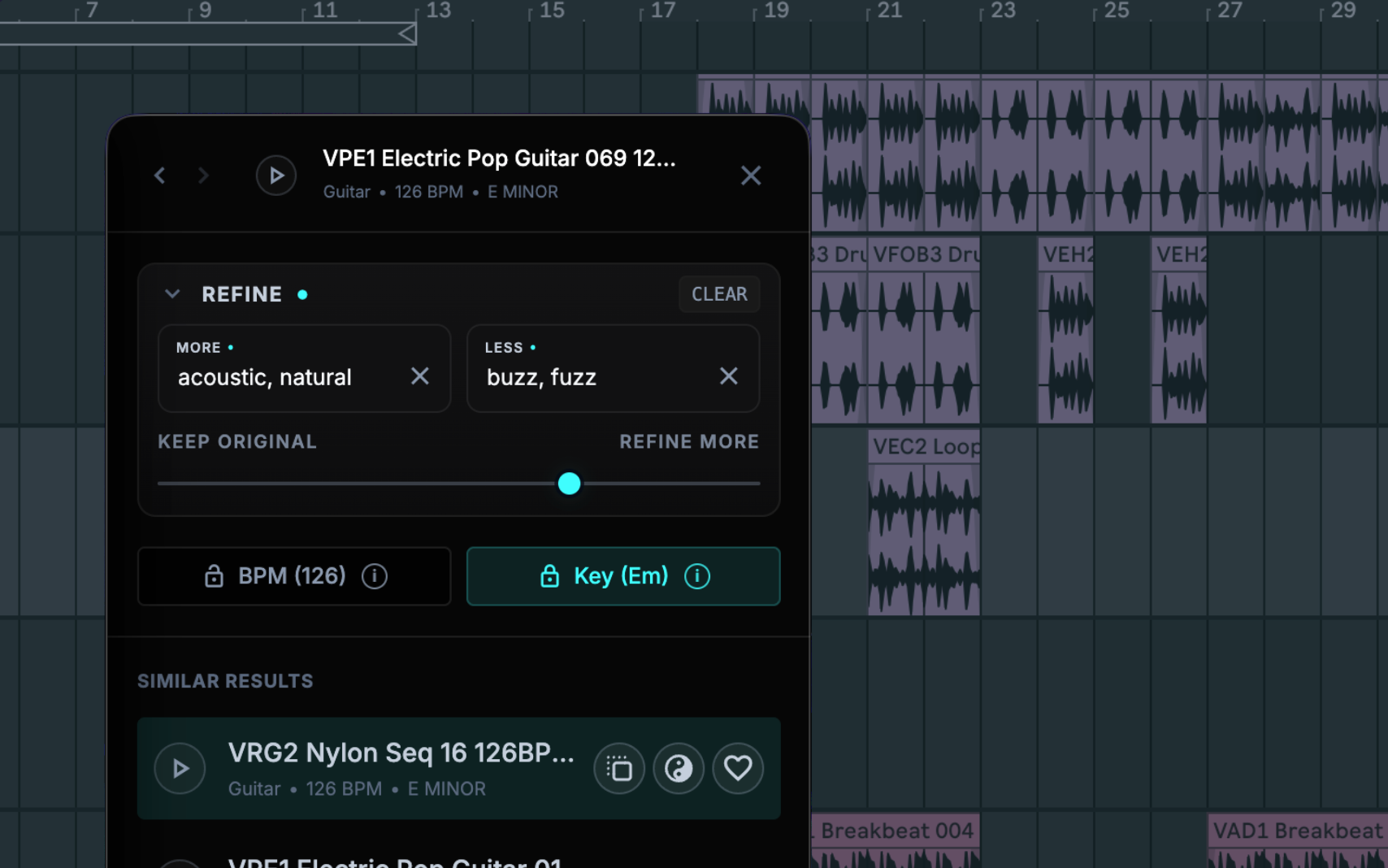
Choose any file you like and ask for something similar, heavier, softer, darker, tighter, or more organic.
Look for a complementary layer instead of endlessly auditioning near-duplicates.
Use the weight of one reference and the texture of another to uncover a third possibility in your library.
See Blend in action →Pick a sound, then steer with simple words. Keep the tempo or key when it matters. Let go of them when discovery matters more.
The win is not “AI.” The win is fewer creative ideas dying inside a folder tree.
“Warm vocal dust behind the chorus.”
Type the idea or start from a reference.
Preview the strongest matches, not every folder.
Drag the winner into any DAW.
Sample helps you discover. Your ears still make the record.
Search by material, mood, instrument, texture, brightness, impact, production character, tempo, or key.
Tempo and key are estimates. Similar does not always mean useful. Preview in the track and trust your ears.
Sample can learn your library without renaming, moving, or uploading the audio that your projects depend on.
Use one normal session to estimate how much time disappears into browsing.
per year—about 1.1 hours every week for writing, arranging, finishing, or simply staying inspired.
This planning scenario assumes 50 creative weeks and a 75% faster find-and-drag cycle. It is an estimate, not a guarantee.
Sample searches and analyzes locally on Apple Silicon and Intel Macs. Your audio stays on your Mac. Use it offline after activation, drag results into any DAW, and request a refund within 14 days if it does not improve your workflow.